

You may have scrolled through and watched short-form content on social media apps like TikTok, Instagram, and Facebook, and you may have wondered how people create such ultra-smooth edits, perfect text animations, and AI-powered transitions. The answer is CapCut APK nine times out of ten.
But here is the thing: not everyone finds CapCut on the Play Store. A huge number of Android users, such as those with older Android builds, those on restricted networks, or those in regions where the app isn’t natively listed. So, these users turn to the APK route. That’s exactly why this guide exists.
This blog is a 360-degree breakdown of the CapCut APK, covering what it is, why it dominates the short-form video editing space, every feature worth knowing, how to install it safely, and how to squeeze every drop of value from it once it’s on your device.
What Exactly Is CapCut? (And Why Should You Care?)
Capcut is a free video editing application developed by Bytedance. The same company has launched TikTok. This app became popular overnight. CapCut was first launched in China and was originally named Jianying Pro. Three factors make this application different from other video editing apps.
- No Watermark on the free version: Other applications like Kinemaster, Viva Video, or InShot put a watermark on every export. But CapCut puts no watermark even when exporting from the free version.
- TikTok-native feature set: As ByteDance owns both TikTok and CapCut, the app was designed for TikTok-format content from day one. Trending sound sync, viral templates, aspect-ratio presets — all optimized for short-form content.
- AI-first roadmap: CapCut was one of the first applications to invest in AI features. It was seen that Auto captions, background removal, face enhancement, and AI text-to-video features that used to cost hundreds of dollars in desktop software are now bundled into a free mobile app, ahead of other apps.
Statistics prove that CapCut has been downloaded over 500 million times across Android and iOS, making it one of the top 10 most downloaded apps globally in its category.
CapCut Features — The Full 360° Breakdown
Now, let’s break down the features of this application step by step.
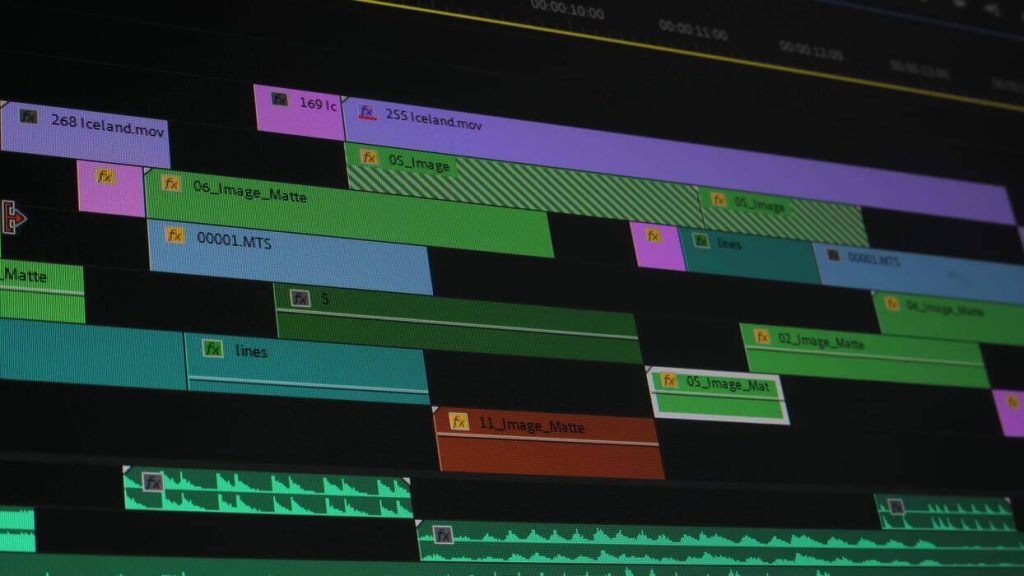
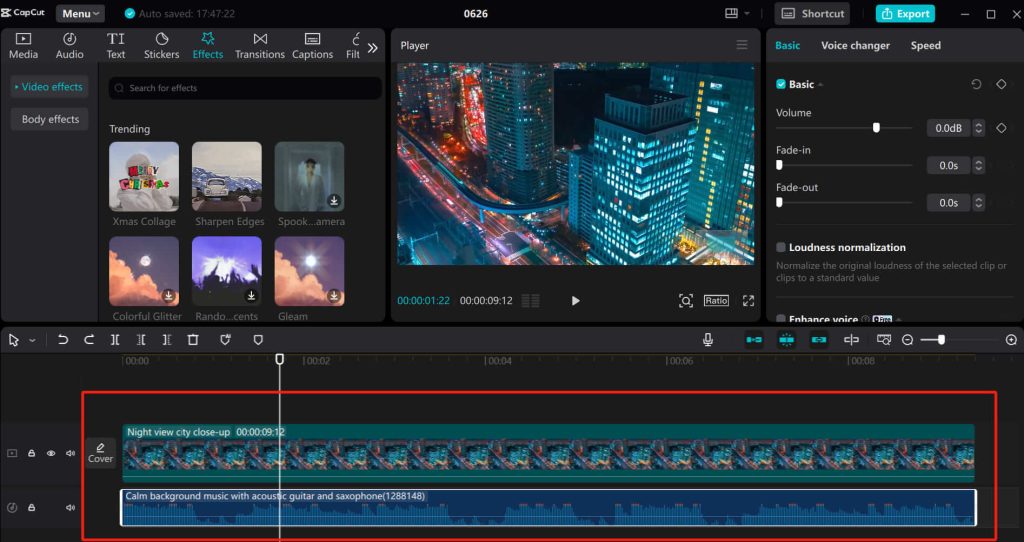
Timeline-Based Multi-Layer Editing:
A multitrack timeline editor, which is the same paradigm used by popular desktop software like Adobe Premiere Pro.
- Your main footage is imported into the primary video track
- Overlay tracks for B-roll, picture-in-picture, and stickers
- There are also text tracks used for captions, title cards, and animated typography
- Audio tracks are also available for background music, voiceover, and sound effects. All independently controllable
This layered approach gives mobile editors a level of precision and sat that older apps like VivaVideo can’t match. You’re not just stacking clips, but you’re orchestrating a composition.
AI Auto Captions
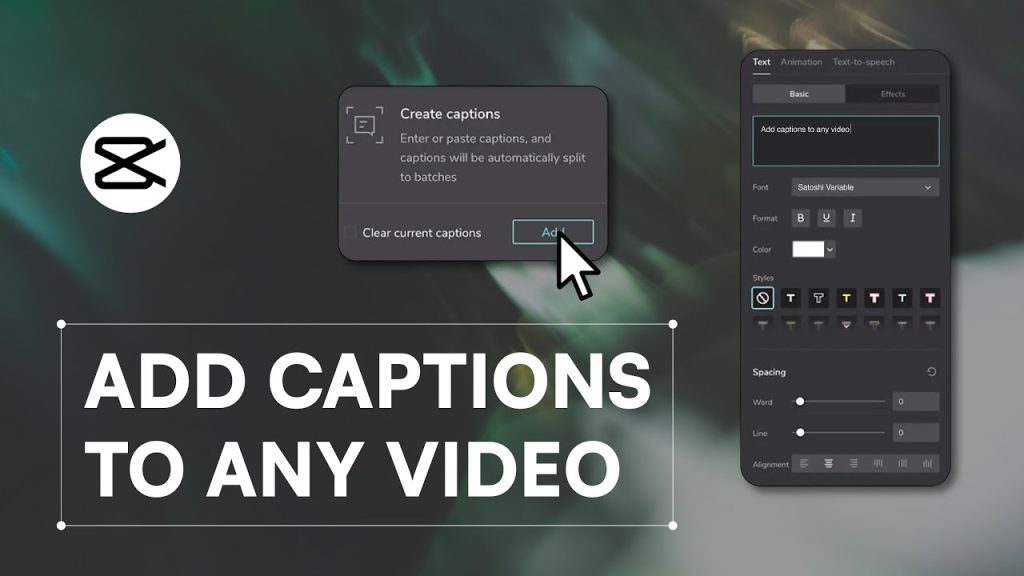
The AI auto-captioning on CapCut is so popular that you should type “auto captions” into YouTube and see that, out of 5 videos, 3 will be related to CapCut. Speech-to-text is also available, powered by AI.
- Transcribe your voice in real-time.
- This feature supports 20+ languages, including English, Spanish, Hindi, Arabic, Portuguese, French, and more.
- You can also edit, restyle, or animate the individual words separately.
- You can export captions as burned-in subtitles or as a separate file.
This feature is helpful for the deaf people who watch muted videos. Studies show that 85% of the social media videos are watched on mute. So captions can increase the watch time and shares. It also somehow eliminates the language barrier.
Background Removal & Chroma Key
Capcut offers two methods for removing the background.
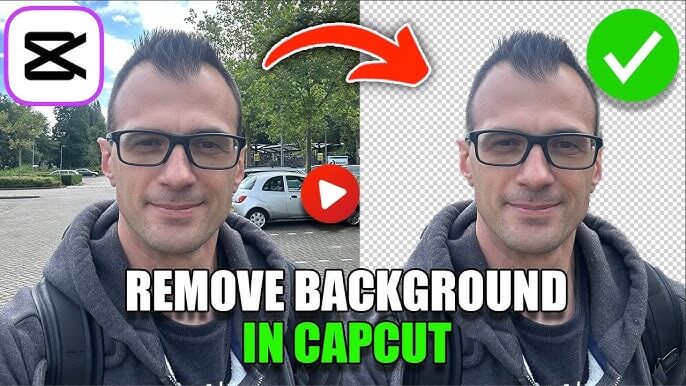
The first method is to use the AI Smart background removal feature, which requires only a single tap and no green screen. The artificial intelligence identifies the subject and removes the background. This feature is ideal for the static subjects and medium quality footage. This is really a time saving feature.
The next method is the chroma key, also formally known as green screen. The professional editors use it. This is a manual method with greater accuracy and precision.
These two features are available in the free version, unlike other apps, which lock them behind a paywall.
Speed Curves & Smooth Slow Motion
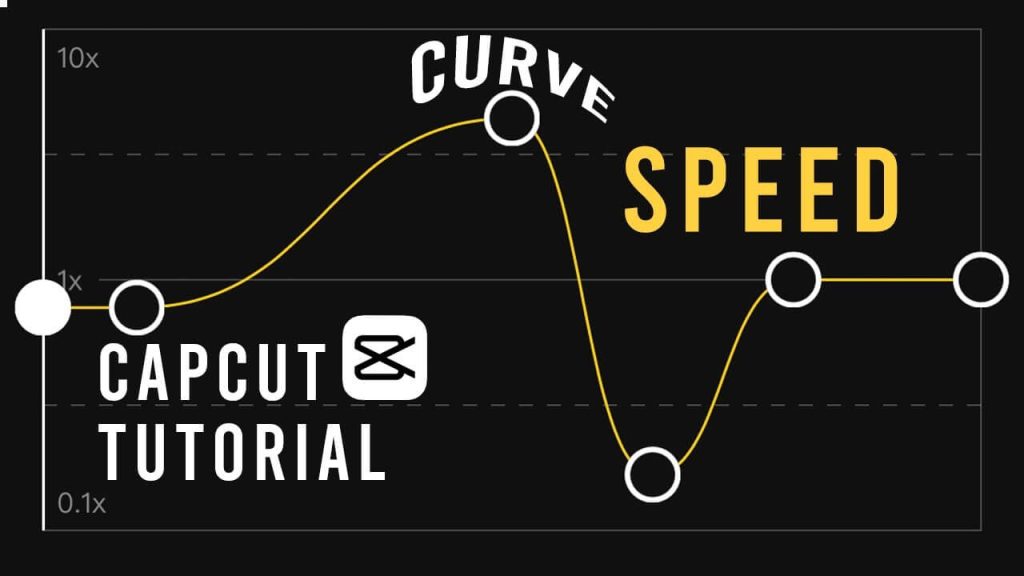
Speed ramping and slow motion are the two widely used video effects. Capcut offers bezier curve-based speed ramping, meaning you can:
- Gradually decelerate into a dramatic slow-motion moment mostly used in action movies.
- Snap back to full speed with a whip effect.
- Create the signature heartbeat speed pattern common in TikTok short-form content.
- Various presets are also available for the popular effect. So, you dont have recreate each effect from stratch.
Actually, these features make those viral shots of heroes coming out of the car, falling leaves, people throwing money in movies, etc.
Keyframe Animation
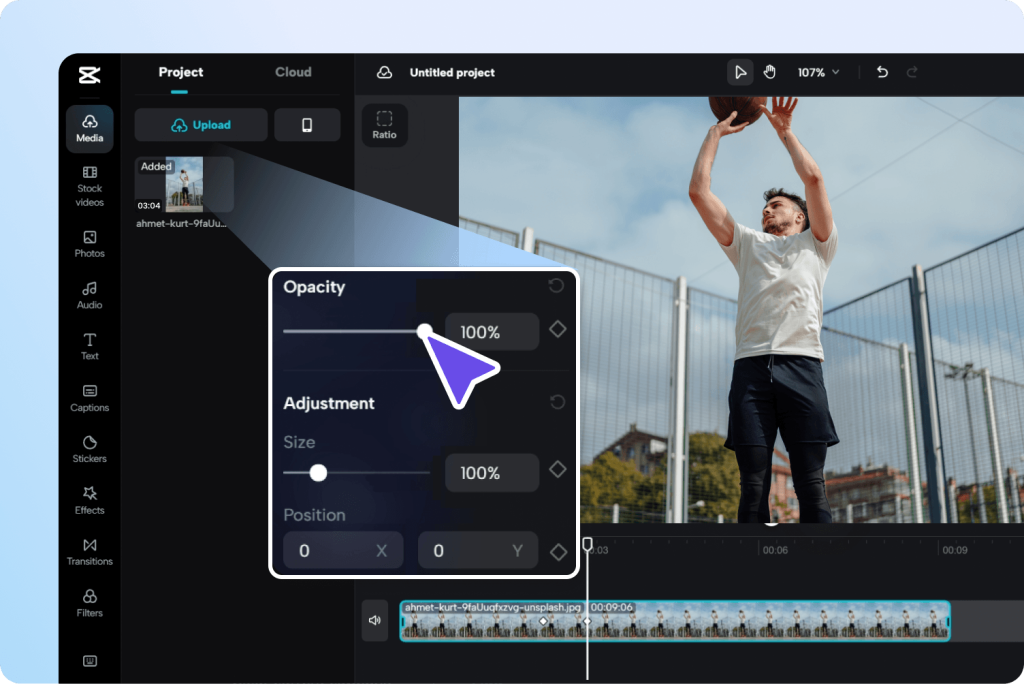
No doubt the keyframes are the soul of professional animation. In this application, the following keyframes are available:
- Position (X/Y Coordinates)
- Scale ( zoom in/out)
- Rotation
- Opacity
- Color Filters
- Audio Volume
With these, users can create dynamic zoom effects, Ken Burns-style photo animations, and floating text effects — all without using desktop software.
AI Text-to-Video
This feature was introduced in 2024 and was refined through 2025.. It uses generative AI to create short video clips from a text prompt given by the user. You type a prompt, ” A boy is jumping through the wall and running toward a bus with a lot of groceries in his hand”, and the generative AI generates the footage. Now, a question might come to your mind, as it did to mine: whether generating videos with CapCut generative AI will be of quality?
The answer is that it is not always the case. The video production by this feature also depends on the level of detail you put in your prompt and various other factors. But this feature is capable of:
- B-roll filter when you don’t have the footage, or you’re too lazy to go out and shoot video
- Visualization of the concepts before the actual shooting of the scenes
- Social media experiments and meme formats
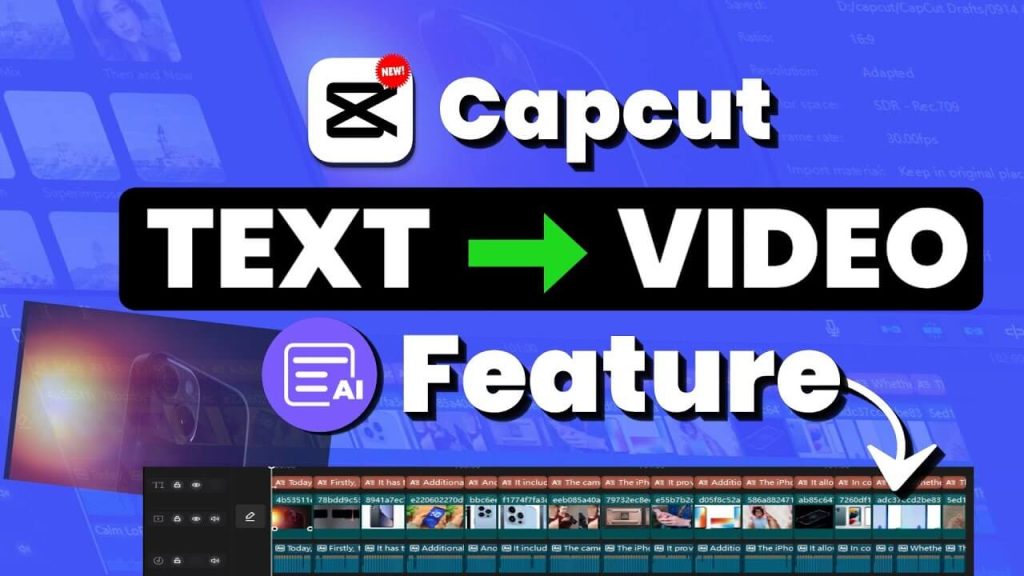
Other applications charge for this feature, but CapCut APK offers it for free, which puts it ahead in the competition.
Templates Library
Here the templates are the most addictive for casual users.
- Browse thousands of pre-built video templates created by the community and developers.
- Pick the one that matches the video vibe.
- Replace the placeholder clips with your own photos or videos
- At last, you can export your results in seconds.
What makes templates truly powerful for beginners is that all the timing, transitions, music sync, and effects are already locked in. You just swap the clips. A complete 30-second reel that would take an experienced editor 2 hours can be done in under 3 minutes. So, it saves time and mental effort.
Audio Tools — Beyond Just Adding Music
The audio suite of CapCut is unpredictable. Besides the stock music library, which has thousand of royalty-free tracks, you will also get the following:
- Voice effects: Pitch shifting, reverb, echo, high cut and low cut filters, and various other effects.
- Audio extraction: This feature isolates the audio from a video clip so it can be used elsewhere.
- Noise reduction: Reduces background noise for clear voiceovers, all powered by AI.
- Voiceover recording: You can also record your voice in app with the waveform visualizations.
- Beat Sync: Automatically cuts and trims your clips to match the beat drops of your chosen track. This is the feature behind most viral montage videos on TikTok.
Advanced Color Grading
Every video editor knows that color plays an important role in setting the mood for the audience, and CapCut understands this well. It offers :
- LUTs (Look-Up Tables): Cinematic LUTs are available that replicate the look of popular movies
- HSL controls: Adjust Hue, Saturation, and Luminance for individual color channels to modify the pre-built LUTs.
- Curves editor: Fine-tune shadows, midtones, and highlights
- Vignette, grain, and film effects: For that tactile, analog feel
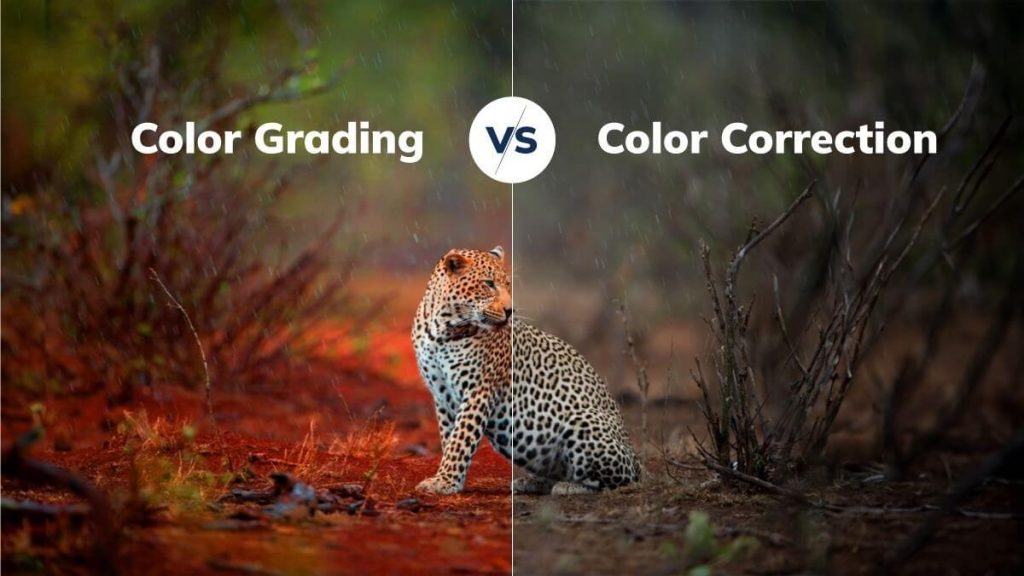
These are tools you’d expect in desktop software like DaVinci Resolve or Lightroom, but you may not expect all of them in a free Android phone. These things are put forward in competition with other apps. Sometimes, people also compare it to the computer software mentioned above.
What’s New in CapCut 2026 (Latest APK Version)
Now, let’s summarize the new updates at a glance.
- AI Script Generator: Use of generative AI to generate a video from the given text (prompt) and suggestions of the user.
- Dynamic Lyrics Mode: Now, instead of writing word by word under the audio of the song to make a lyrical video, create automatic word-by-word text animation synced properly to the music.
- Improved stabilization algorithm: This stabilizes the shaky image when using a handheld camera.
- Enhanced mask tools: More mask shapes and feathering options for the precise overlay work.
- Faster export engine: In the new version, the rendering speed is optimized for the mid-range devices, and crashes during the export are now fixed.
How to Download CapCut APK Safely — Step by Step
Before downloading, you need to understand this: the APK itself is safe. The security risks come from downloading from an unverified third-party source, which often injects malicious code into the repacked APK. Here is how you can protect yourself.
Step 1: Verify the Source
Only download the APK files from the sources that:
- Show the SHA-256/MD5 hash of the file
- Display the version history and also the changelogs
- Have user reviews and community verification
- Don’t require you to complete random surveys or download additional apps
Step 2: Check the APK Signature
After you have downloaded the files, if you still have doubts about them, you can verify their signatures using free tools like APK Signature Verifier. If Bytedance Pte. Ltd. signs the APK, then it is legitimate.
Step 3: Enable “Install from Unknown Sources”
- First of all, go to settings
- Tap on the security option, also known as privacy, on some devices
- Toggle install unknow apps ON for your file manager
- On Android 8.0+, this is per app. it will ask you each time before installing any application.
Step 4: Locate and Install the APK
- Open the folder where you have downloaded the file.
- Tap on the Capcut APK file.
- Tap Install when prompted.
- Wait for the installation to complete, which usually takes 30 to 60 seconds.
- Tap open and enjoy using the application.
Step 5: Re-enable Unknown Sources (Security Best Practice)
After you have installed the application, you should go back and turn off the option that allows the phone to install apps from unknown sources. It is a security best practice.
Is CapCut APK Safe? (Honest, No-Fluff Answer)
This is a very common question, and it requires a straight answer. Actually, the official CapCut APK, which is an unmodified file directly from ByteDance, is safe. It is the code that runs on hundreds of devices globally.
In early 2023, the US government raised concerns about Bytedance and the potential exposure of data to Chinese servers. Similar discussions occurred in India, where TikTok was banned, though CapCut’s status varied.
For the average user, the practical risk is minimal. Capcut’s privacy policy states it collects usage analytics and content metadata, which is similar to what Google, Meta, or any major app collects.
The real safety risk comes when someone downloads a modified or cracked APK from shady websites. These Capcut Pro unlocked or no-watermark mod files contain malicious code and must be avoided.
CapCut vs. Competitors
| Feature | CapCut | KineMaster | InShot | VN Editor |
|---|---|---|---|---|
| Free watermark-free export | ✅ | ❌ (paid) | ❌ (paid) | ✅ |
| Multi-track timeline | ✅ | ✅ | Limited | ✅ |
| AI Auto Captions | ✅ | ❌ | ❌ | ❌ |
| Background Removal (free) | ✅ | ❌ | ✅ | ❌ |
| Keyframe animation | ✅ | ✅ | ❌ | ✅ |
| Speed curves | ✅ | Limited | ❌ | ✅ |
| Text-to-Video AI | ✅ | ❌ | ❌ | ❌ |
| Templates library | ✅ | Limited | Limited | Limited |
| Desktop version available | ✅ | ✅ | ❌ | ❌ |
| Cloud sync | ✅ | ✅ | ❌ | Limited |
Common CapCut APK Issues & Quick Fixes
“CapCut keeps crashing on my phone”
It usually crashes due to a RAM issue, meaning your mobile phone has less RAM than required. You can also try other solutions, such as closing all background apps, clearing the CapCut cache (Settings > Apps > CapCut > Clear Cache), and trying again. If the issue persists, the APK version may not be optimized for your Android build. In this case, you should try an older version
“My CapCut APK won’t install — Parse Error”
This typically means that the APK is corrupted or incompatible with your Android version. Re-Download from a trusted source and confirm that the APK matches the device architecture
“Videos are exporting with poor quality.”
You should check the export settings before rendering. Do the following steps:
- Go to the export settings
- Tap on the resolution/quality
- Select 1080p or 4K
- Always make sure that the 60 fps is selected before exporting
“CapCut says ‘not enough storage,’ but I have space”
Capcut needs space on internal storage for rendering. Even if your SD card has space, the application may need internal storage headroom. It is always recommended that you have 2-3 GB internally
Frequently Asked Questions
Q: Is CapCut APK free to download?
Yes, the application itself is free to download. Some of its basic features, like Core editing, export without a watermark, and most AI features, are free to use, but some advanced features (premium asset packs and extended cloud storage) require a subscription. But CapCut can not be degraded for this because the free version is also highly capable for most creators.
Q: Can I use CapCut APK without a TikTok or Bytedance account?
Yes, users can use this application without logging in. However, features like cloud sync, template community access, and some AI tools require account creation.
Q: Does CapCut APK work on all Android devices?
This application requires at least Android 5.0. It runs on most modern Android phones, including Samsung, Xiaomi, Realme, OnePlus, Oppo, Vivo, and Google Pixel. For the best performance, your device should have 4GB of RAM and some free storage.
Q: Is there a CapCut APK for PC?
Capcut has separate software for computers and MacBooks. But you can also run its APK on a PC using mobile emulators like BlueStacks or LDPlayer.
Q: Is CapCut banned in any countries?
This is one of the most interesting and frequently asked questions. Well, this application has faced some regulatory problems in several regions. In India, both TikTok and other Chinese applications were banned. However, in the USA, legislative efforts were targeting ByteDance apps, but CapCut’s status has varied over time. Always check your local regulations.
Q: Will CapCut APK get automatic updates?
No, APK installations don’t update automatically. You will need to periodically check for new versions and manually download and install the updated APK.
CapCut Pro is the optional paid subscription that unlocks premium asset packs, extended cloud storage, and certain advanced AI export features. However, the free version of CapCut APK is powerful enough for most creators. You do not need Pro to edit, export at 1080p, or use core AI tools — all of these are completely optional.